![[^]](top.gif)
|
Making Grid for the Background |
- Image New.
- Change the foreground color to your choice of grid color.
- Using rectangular marquee, drag it to square or rectangle.
- Edit > Stroke. Set pixel=1 or to the thickness of your choice.
- Select > Modify > Border > pixel = 1.
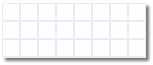
- Now save it. What you'll get is a square of 20x20 in pixels for the background (i.e. a single square). What I'm showing is the tiled image for easier viewing.
-