![[^]](top.gif)
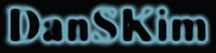
- Start with the dark background.
- Create New Channel.
- Type the text.
- Fill the text with white, and Deselect.
- Filter > Blur > Gaussian Blur.
- Image > Adjust > Curves. By changin a shape to /\/, you'll see an outline of the shape. You need lots of experimentations here.
- Select RGB.
- Load Selection #4.
- Fill in the selection with neon color.
- Voila!